
Views: 269 Author: Welons Prefab Houses Publish Time: 2026-10-08 Origin: Site


Content Menu
● Why Reefer Container Maintenance Starts Before Loading
>> What to Check During a Pre-Trip Inspection
● A Practical Reefer Container Maintenance Checklist
>> Keep Coils, Fans, and Drains Clear
>> Check Door Seals and Insulation
>> Leave Refrigerant and Electrical Repairs to Qualified Personnel
● Reefer Container Troubleshooting by Symptom
>> What to Do When Temperature Moves Outside the Expected Range
● Three Easily Missed Causes of Cargo Problems
>> 1. Blocked Airflow Inside an Operating Reefer
>> 2. A Defrost Cycle Mistaken for a Breakdown
>> 3. An Unrecorded Power Interruption
● Keep Records That Help Find the Cause
● Choose the Right Equipment for the Project
● Conclusion: Prevent Problems Before They Reach the Cargo
>> How often should a reefer container be inspected?
>> Does a passed pre-trip inspection guarantee cargo safety?
>> Why is the cargo warm when the reefer setpoint is correct?
>> Is every temperature spike a refrigeration failure?
>> Should an operator reset an alarm immediately?
>> Can operators add refrigerant to improve cooling?
>> Can a modular prefab building replace a transport reefer container?
A reefer container can show the correct temperature setting while the cargo inside remains at risk. This guide explains how to inspect a unit before loading, prevent common maintenance problems, investigate temperature changes, and decide when a qualified technician is needed.
A reefer container does more than produce cold air. It must receive reliable power, move air around the cargo, maintain its door seals, and respond correctly to changing operating conditions. If any part of that system fails, temperature-sensitive goods may be damaged even when the refrigeration unit appears to be running.
Effective reefer container maintenance and troubleshooting therefore starts before loading. It continues through every power handoff and ends only after the cargo is discharged and the equipment is checked for its next use.
A transport reefer is primarily intended to maintain pre-cooled cargo at its specified shipping temperature. It should not be treated as a dependable way to cool a warm shipment after loading.
Before inspecting the container, confirm the shipment requirements. The operator should have written instructions for the commodity, temperature setpoint, acceptable temperature range, ventilation, humidity where relevant, and any special monitoring requirements. Check whether the temperature is stated in Celsius or Fahrenheit, and verify every plus or minus sign.
This first step helps separate an equipment problem from a loading or instruction problem. A perfectly maintained unit cannot compensate for an incorrect setpoint, warm cargo, or packaging that prevents air from reaching the product.
A pre-trip inspection, or PTI, should combine a physical inspection with the manufacturer-approved equipment test. Before releasing an empty unit for loading:
1. Inspect the container body. Check panels, insulation, doors, hinges, and gaskets for damage, gaps, moisture, or signs of previous repairs.
2. Check cleanliness. Remove debris from the T-bar floor and look for cargo residue, odors, mold, or evidence of pests.
3. Inspect airflow components. Check accessible condenser and evaporator areas, fans, drain pans, and drain lines for dirt or obstruction.
4. Examine the power cable and plug. Look for cuts, crushing, discoloration, moisture, or damaged connections. Do not connect equipment with suspected electrical damage.
5. Verify the power plan. Confirm that a compatible supply will be available wherever active refrigeration is required, including during transfers.
6. Run the correct diagnostic test. Record the result and arrange repair if the unit fails. A displayed "PASS" does not replace the physical inspection.
Follow the instructions for the specific refrigeration-unit model. Some diagnostic tests change operating modes or are unsuitable while temperature-critical cargo is inside the container.
Maintenance frequency should reflect the equipment manual, operating conditions, cargo sensitivity, and the owner's service program. The checklist below identifies useful inspection points; it does not prescribe one service interval for every reefer.
| Inspection point | What to check | When to escalate |
|---|---|---|
| Before release | PTI result, cleanliness, doors, seals, cable, coils, and drains | Failed test, damage, contamination, or suspect wiring |
| Before loading | Cargo temperature, setpoint, temperature units, ventilation instructions, and airflow path | Warm cargo or unclear shipping instructions |
| After a power handoff | Running status, alarms, plug security, and temperature readings | Failure to restart or readings moving away from target |
| During transport or storage | Temperature trend, alarms, power interruptions, and inspection records | Persistent deviation, repeated alarms, or missing data |
| After discharge | Interior condition, odor, drainage, corrosion, and new damage | Contamination or a defect likely to affect the next shipment |
A dirty condenser can make it harder for the unit to reject heat. Obstructed evaporator surfaces or blocked drains may interfere with operation and contribute to icing or water accumulation.
Inspect these areas according to the equipment manual. Listen for abnormal noise and note unusual vibration, but keep clear of moving parts. Fans and compressors may start automatically, including when a unit appears quiet.
Cleaning should suit the unit and the cargo. After washing, check that residues have been removed and that the interior can dry as required before use. A container that looks clean but retains moisture or debris in its floor channels may still be unsuitable for loading.
Damaged gaskets, poorly aligned doors, and compromised insulation allow unwanted heat and moisture to enter. Warning signs include uneven gasket contact, water near the doors, visible gaps, and frost that repeatedly forms in the same area.
Do not assume a new gasket will fix every seal problem. If the door frame is bent or the insulated panel is damaged, the repair must address the underlying defect. Record the location of recurring frost or moisture so the maintenance team can compare it with previous reports.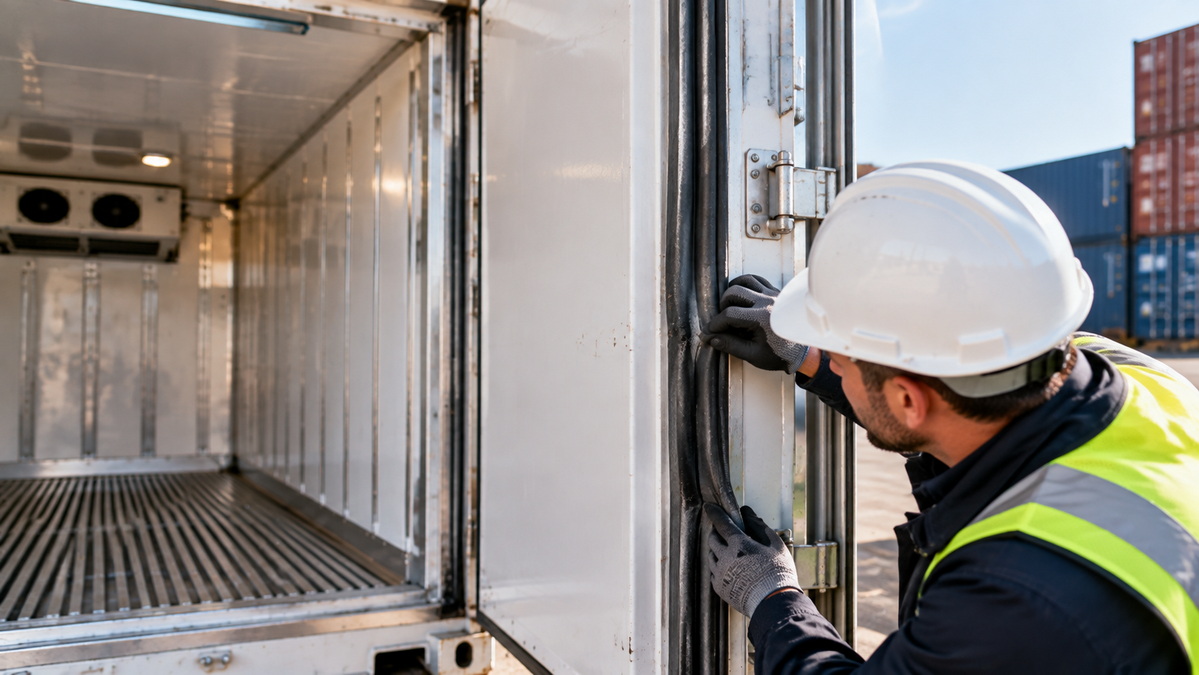
Reduced cooling, an alarm, or oil staining may justify a technical inspection. None proves the cause by itself. Adding refrigerant without diagnosing the problem can conceal a fault rather than solve it.
Operators can document symptoms and check safe, accessible items. Opening the refrigeration circuit, testing live components, repairing wiring, and diagnosing compressor faults belong to qualified, authorized personnel following the correct service procedure.
When a reefer develops a problem, begin with the shipment instructions, operating history, and safe external checks. The same symptom can have several causes.
| Symptom | Possible causes | First response |
|---|---|---|
| Blank display or no power | Supply interruption, disconnected cable, incompatible outlet, or generator issue | Check power status and the external connection without handling damaged wiring |
| Temperature rises | Recent door opening, warm cargo, blocked airflow, power interruption, or cooling fault | Review the trend, alarm history, door condition, and loading records |
| Repeated frost or standing water | Air leakage, blocked drainage, or a defrost problem | Document where it appears; check accessible seals and drains |
| Loud noise or vibration | Obstruction, loose panel, fan fault, motor fault, or compressor problem | Keep away from moving parts and request a technical inspection |
| Alarm despite a normal displayed temperature | Sensor disagreement, a brief event, or controller fault | Save the exact alarm code and compare it with recorded temperature data |
This table supports initial assessment, not remote diagnosis. Alarm meanings and corrective procedures vary by manufacturer and model. Do not repeatedly clear an alarm simply to make the display appear normal.
A temperature excursion requires a documented response. Moving quickly matters, but changing settings before preserving the evidence can make the event harder to investigate.
1. Record the event. Note the time, container ID, setpoint, supply-air temperature, return-air temperature, alarm code, and power status.
2. Preserve the data. Save the controller log and any independent cargo-logger readings before resetting alarms or changing settings.
3. Verify the instructions. Confirm the required setpoint, temperature scale, ventilation setting, and the cargo temperature recorded before loading.
4. Review recent events. Check door openings, power transfers, unplugged periods, vent changes, and defrost activity.
5. Inspect only safe, accessible areas. Look for an open door, visible airflow obstruction, or external power problem. Do not break seals or open a loaded container without authorization.
6. Escalate and monitor recovery. Inform the responsible operator and cargo owner under the shipment procedure. Arrange qualified service when the cause is unclear or the problem persists.
After a repair or correction, confirm that temperatures are moving in the right direction. Air temperature is not the same as cargo-core temperature; cargo condition may require separate assessment.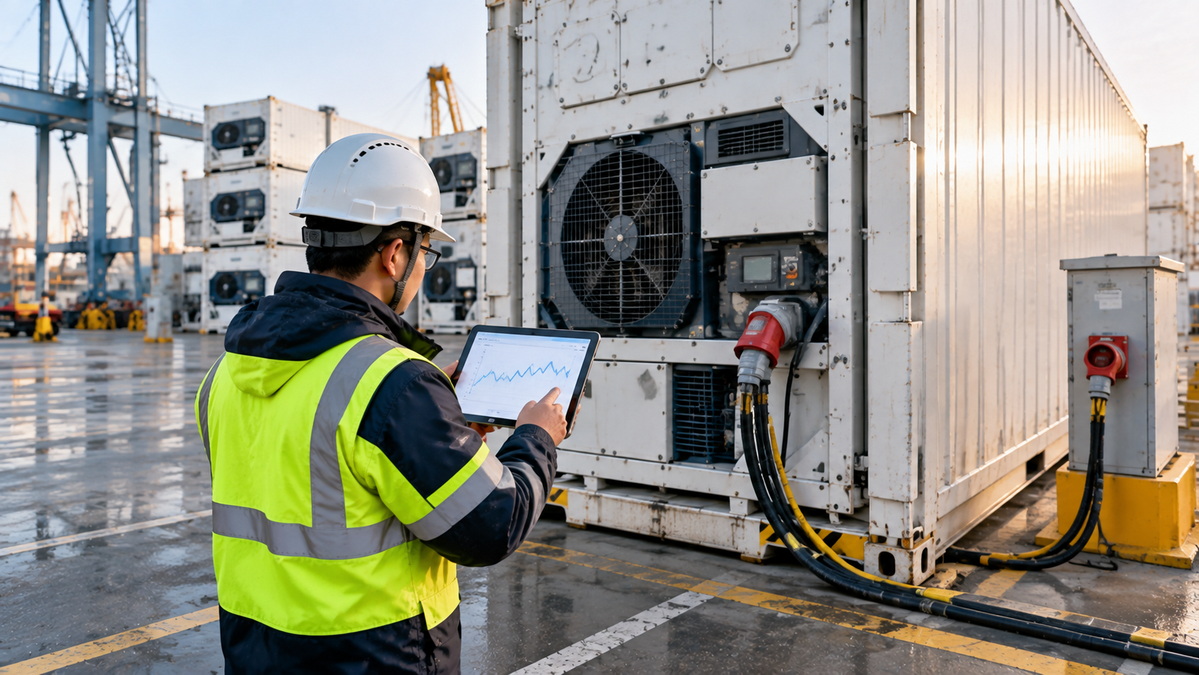
A refrigeration unit may run normally while parts of the load remain too warm. In many transport reefers, cooled air travels through channels in the T-bar floor and returns above the cargo. Pallets placed incorrectly, debris in floor channels, or cartons stacked beyond the permitted load line can disrupt that path.
Packaging needs differ by commodity. Ventilated cartons of fresh produce must allow air to move through the packed load. Frozen cargo has different stowage needs, but the planned circulation path around it must still remain open.
Before assuming the compressor is defective, ask whether the cargo was pre-cooled and loaded to the required pattern. A favorable reading at the unit does not prove that every pallet received adequate airflow.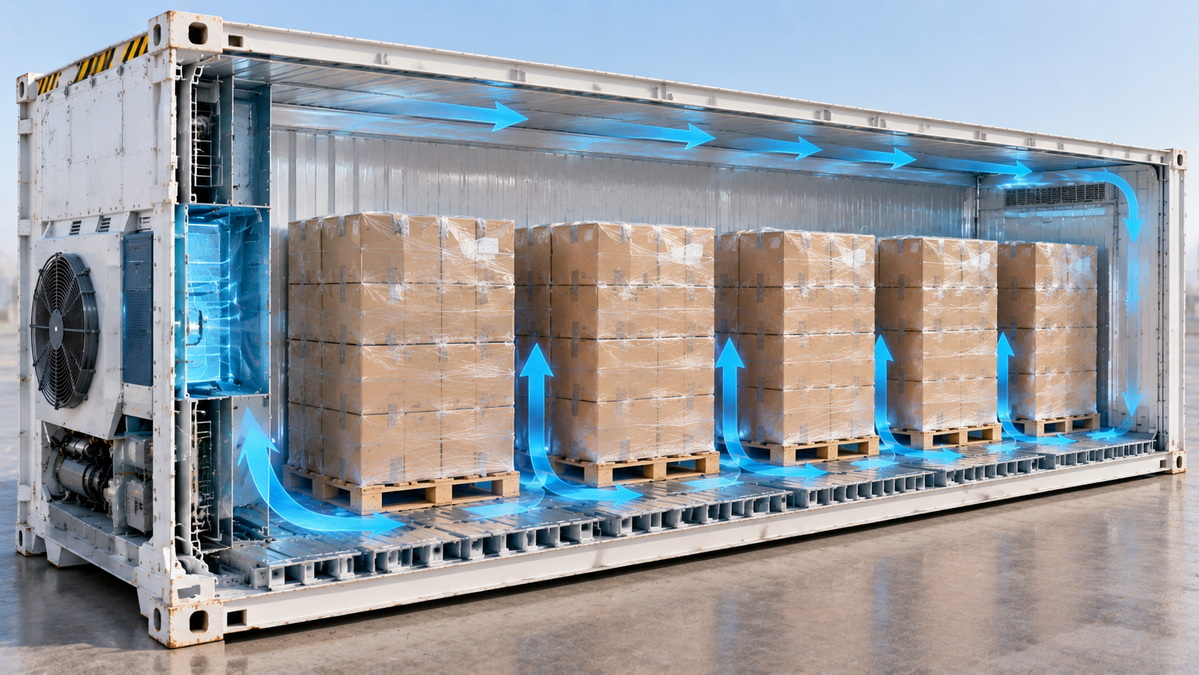
A brief temperature change in the controller record does not always mean the cargo warmed. During an automatic defrost cycle, a return-air reading may rise for a short period and then recover.
Review the complete trend, including the defrost event and what happened afterward. A single peak deserves context. Sustained warming, heavy icing, failure to recover, or an accompanying alarm still calls for investigation.
A container may be connected correctly at loading and still lose power during a later transfer. Ports, depots, vehicle changes, and temporary storage all create handoff points.
For shipments requiring continuous active refrigeration, identify the power source for every leg in advance. Record when the unit is disconnected and reconnected. After reconnection, confirm that the controller has resumed normal operation; a plugged-in cable alone is not proof that the reefer is cooling.
A useful maintenance record should identify the container and refrigeration-unit model, PTI result, repairs, setpoint, ventilation instructions, alarms, power events, and temperature trends. For sensitive cargo, record the position and status of any independent temperature logger or product probe.
Good records reveal patterns that an individual inspection may miss. If frost repeatedly appears beside the same door after gasket replacements, investigate door alignment, structural condition, and operating practices rather than replacing the gasket again without further assessment.
Records also clarify responsibility when several parties handle the same shipment. The shipper can document cargo preparation and instructions. The equipment operator can retain inspection and repair history. The carrier or site team can record power handoffs and monitoring events. Agree on those responsibilities before an incident occurs.
Transporting perishable goods and building a facility for cold-chain operations are different requirements. A shipment needs a purpose-designed reefer container, a suitable power plan, correct loading, and monitoring. An office, staff dormitory, canteen, meeting room, warehouse, showroom, or industrial building requires its own layout, materials, electrical design, and local approvals.
Welons Prefab focuses on quick-assembly prefab units and modular buildings. According to the company information supplied for this article, it has 11 years of industry experience and production capacity of 300 units per day, with customization, OEM, wholesale, and one-stop project support available. Those capabilities should not be confused with a claim that its buildings are certified transport reefers or validated cold-storage facilities.
Reliable reefer operation depends on more than a working refrigeration unit. Pre-cooled cargo, a clean and inspected container, unobstructed airflow, correct settings, dependable power, and a clear response to alarms all contribute to protecting a shipment.
Use a physical PTI alongside the unit's diagnostic test. Keep temperature and handoff records, investigate trends instead of isolated readings, and involve qualified technicians when a problem goes beyond safe operator checks.
If your cold-chain project also needs a modular office, warehouse, staff facility, or other prefabricated space, share your intended use, site conditions, dimensions, and technical requirements with Welons Prefab. Request project-specific drawings and specifications so you can evaluate the building separately from the refrigerated transport equipment it may support.
Follow the equipment manual, cargo instructions, and the procedures of the operator responsible for the unit. Check it before release and after important power handoffs. Monitoring intervals during a voyage should follow the applicable carrier and route procedures; there is no single interval for every situation.
No. A passed test shows that specified checks were successful at that time. It cannot guarantee correct loading, uninterrupted power, suitable cargo temperature before loading, or freedom from a later fault. Physical inspection and monitoring are still necessary.
Possible explanations include cargo loaded too warm, blocked floor channels, unsuitable packaging, door leakage, or a power interruption. Review loading records and temperature trends. The setpoint describes the requested operating condition; it does not measure the temperature at the center of every product.
No. A defrost cycle can produce a short-lived change in an air-temperature reading. Check whether the reading recovered and whether an alarm or sustained deviation followed. Do not dismiss a continuing temperature rise as normal defrost.
First record the exact code, time, operating readings, and recent events. Follow the model-specific instructions and the shipment escalation procedure. Resetting a persistent alarm without identifying its cause may hide information needed for repair or cargo assessment.
Refrigerant work should be performed only by appropriately qualified and authorized personnel. Poor cooling has several possible causes, and adding refrigerant without proper diagnosis may leave the actual problem unresolved.
Not by default. A modular building and a refrigerated shipping container serve different purposes. Any proposed cold-storage building needs a separate technical specification, appropriate refrigeration design, performance validation, and relevant approvals.
1. TT Club and UK P&I Club. [*StopLoss: Temperature Controlled Cargo*], 2022. Guidance on equipment selection, maintenance, pre-trip inspections, loading, and in-transit handling. [ttclub]
2. Carrier Transicold. [*PrimeLINE Edge Operations and Service Manual: Operation*]. Model-specific instructions on inspection, power connection, pre-trip diagnosis, and probe checks. [transcentral.carrier]
3. West of England P&I Club. [*The Carriage of Reefer Containers*]). Guidance on monitoring, temperature interpretation, defrost cycles, and cargo handling. [westpandi]
4. Carrier Transicold. ["New Carrier Transicold Web Tools Aid in Service Troubleshooting"]. Information on model-specific technical manuals and alarm troubleshooting. [carrier]
5. Carrier Transicold. ["Container Refrigeration Service and Support"]. Service and technical-support resources. [carrier]
6. CIMC Yangzhou Base. ["Common Maintenance and Troubleshooting Issues for Reefer Containers"]. Original article provided for review and reconstruction. [tlc-yz]


